Commercial Photography Guide: Everything You Need to Know for Business Success

We all know the power of a stunning image in today’s visual-driven marketplace. Commercial photography isn’t just about taking pretty pictures – it’s about creating compelling visuals that sell products tell stories and connect with audiences on a deeper level.

Whether you’re a business owner looking to showcase your products or a marketing professional seeking the perfect images for your next campaign we understand the importance of getting it right. Quality commercial photography can make the difference between a successful marketing strategy and one that falls flat. From product shots to lifestyle imagery we’ll explore what makes commercial photos truly stand out in a crowded digital landscape.

Understanding Commercial Photography

Commercial photography transforms products services into compelling visual stories that drive sales and brand awareness. The strategic use of professional imagery creates emotional connections with target audiences while maintaining technical excellence.

Types of Commercial Photography

  • Product Photography: Captures detailed shots of items against clean backgrounds for e-commerce websites online marketplaces
  • Fashion Photography: Features clothing accessories lifestyle products in editorial studio settings
  • Food Photography: Showcases culinary creations menu items restaurant atmospheres
  • Real Estate Photography: Documents residential commercial properties with interior exterior shots
  • Corporate Photography: Includes headshots team photos office environments workplace culture
  • Industrial Photography: Highlights manufacturing processes equipment technical operations
  • Advertising Photography: Creates campaign-specific imagery for print digital marketing materials
  • Lighting Techniques
  • Consistent illumination across product surfaces
  • Strategic shadows to create depth dimension
  • Proper exposure to maintain detail quality
  • Composition Rules
  • Rule of thirds for balanced image layouts
  • Leading lines to guide viewer attention
  • Negative space for clean professional looks
  • Technical Specifications
  • High resolution: minimum 300 DPI for print use
  • Multiple file formats: RAW JPEG TIFF
  • Color accuracy with proper white balance
  • Brand Alignment
  • Consistent visual style across campaigns
  • Color schemes matching brand guidelines
  • Image tone reflecting company values
  • Post-Processing
  • Color correction enhancement
  • Background removal retouching
  • File optimization for various platforms

Legal Requirements for Commercial Photos

Commercial photography involves specific legal obligations that protect both photographers and businesses from potential disputes. Here’s what to know about the essential legal requirements for using photos in commercial settings.

Copyright and Licensing

Photos used for commercial purposes require proper licensing agreements that specify usage rights ownership duration cost limitations. Stock photo platforms like Shutterstock offer various licensing options with different price points based on intended use size reach. A standard commercial license typically covers:

  • Marketing materials distribution
  • Social media promotion
  • Website content placement
  • Print advertising usage
  • Digital campaign implementation

Model and Property Releases

Model releases are mandatory documents signed by individuals photographed in commercial images. Property releases apply to private locations trademarked items recognizable buildings. Essential elements include:

  • Written consent from all identifiable people
  • Permission for specific commercial usage
  • Clear compensation terms
  • Usage duration specifications
  • Geographic distribution rights
  • Explicit property owner authorization
  • Rights to photograph copyrighted items
  • Permission to modify or edit images
Release Type Required For Typical Duration
Model Release People Photography Perpetual
Property Release Buildings Artwork Project-specific
Location Release Private Venues Per shoot

The commercial photography market includes established platforms like Shutterstock Adobe Stock which maintain strict legal compliance requirements for contributors users. These platforms help streamline the legal process by providing standardized release forms verified licensing agreements.

Where to Find Commercial Photos

Commercial photos are accessible through multiple reliable sources that cater to different business needs and budgets. Here’s where to source high-quality commercial imagery for marketing and advertising purposes.

Stock Photo Websites

Stock photo platforms offer extensive collections of ready-to-use commercial images with flexible licensing options. Shutterstock provides 400+ million images starting at $29 per month for 10 downloads. Adobe Stock integrates seamlessly with Creative Cloud apps and offers 300+ million assets, with plans starting at $29.99 monthly for 10 images. Other popular platforms include:

  • iStock features curated collections with exclusive content
  • Getty Images provides premium commercial photography
  • Depositphotos offers competitive pay-as-you-go options
  • Unsplash provides free commercial-use photos

Hiring Professional Photographers

Professional photographers create custom commercial images tailored to specific brand requirements. Here’s what to consider:

  • Local directories list commercial photographers by specialty
  • Professional photography associations maintain member databases
  • Creative agencies connect businesses with vetted photographers
  • Portfolio websites showcase photographers’ commercial work
  • Online marketplaces display photographers’ rates and availability
Service Type Average Cost Range
Half-day shoot $500 – $1,500
Full-day shoot $1,000 – $3,000
Product photography $25 – $150 per image
Location shoots $2,000 – $5,000
Post-processing $50 – $150 per hour

Best Practices for Using Commercial Images

Commercial images demand strategic implementation to maximize their impact in marketing materials. Here’s how to maintain professional standards while ensuring optimal visual communication.

Image Quality Standards

High-resolution images form the foundation of professional commercial photography. Images must meet these technical specifications:

  • Resolution: Maintain 300 DPI for print materials
  • File Format: Use RAW files for editing flexibility
  • Size: Keep master files at 4000×3000 pixels minimum
  • Color Space: Work in Adobe RGB for print or sRGB for digital
  • Compression: Limit JPEG compression to preserve detail

Brand Consistency Guidelines

Brand cohesion requires careful attention to visual elements across all commercial photos:

  • Color Palette: Match images to brand colors through careful editing
  • Style Guide: Follow established visual guidelines for composition
  • Lighting: Maintain consistent lighting techniques across image sets
  • Subject Treatment: Use similar approaches for product positioning
  • Background Selection: Choose backgrounds that complement brand aesthetics

When sourcing from platforms like Shutterstock or Adobe Stock, create collections that:

  • Filter images by specific style parameters
  • Save brand-approved photos for future reference
  • Document editing presets to maintain consistency
  • Tag images with relevant brand keywords
  • Track licensing details for compliance

These practices ensure commercial photos integrate seamlessly with existing marketing materials while maintaining professional quality standards.

Commercial Photo Pricing Models

Commercial photography pricing structures vary based on licensing terms, usage rights, and purchase methods. Let’s explore the key pricing models available in today’s market.

Rights-Managed vs. Royalty-Free

Rights-managed licenses provide exclusive usage rights for specific timeframes, locations, or purposes. These licenses typically cost $500-$5000 per image, depending on usage scope. Royalty-free licenses offer more flexibility, allowing unlimited use after a one-time purchase. Stock platforms like Shutterstock price royalty-free images between $10-$50 per download, with higher rates for enhanced licenses.

Subscription vs. Single Image Purchases

Subscription plans offer cost-effective solutions for businesses needing multiple images regularly. Shutterstock’s pricing starts at $29 monthly for 10 downloads, while Adobe Stock provides plans from $29.99 for 10 images per month. Single image purchases suit occasional needs, with prices ranging from:

Platform Standard License Enhanced License
Shutterstock $9.99-$14.99 $67-$99.99
Adobe Stock $9.99-$12.99 $79.99-$99.99

Key benefits of subscription models include:

  • Reduced per-image costs
  • Regular content updates
  • Flexible download options
  • Access to premium collections
  • Simplified licensing management
  • No recurring commitments
  • Pay-as-you-go flexibility
  • Higher resolution options
  • Extended usage rights
  • Custom license negotiations

Conclusion

We’ve seen how commercial photography goes far beyond just taking pretty pictures. From choosing the right platforms and understanding licensing to maintaining brand consistency these images play a crucial role in modern business success.

Whether you’re working with stock photos or hiring professionals it’s essential to keep quality standards high and legal requirements in check. The right commercial photos can make all the difference in connecting with your audience and driving your business forward.

Remember that investing in quality commercial photography isn’t just an expense – it’s a powerful tool that can transform your marketing strategy and help your brand stand out in today’s visual-first world.

 

Freelance Concept Artist Salary Guide: How Much Can You Really Make in 2025?

As someone who’s been fascinated by the world of freelance concept art, I’m thrilled to dive into the exciting reality of earning potential in this dynamic field. From sci-fi landscapes to character designs, concept artists bring imagination to life while building rewarding careers.

The financial landscape for freelance concept artists in the United States is quite promising, with annual earnings typically ranging from $61,508 to $93,569. What’s particularly exciting is that many of today’s successful concept artists are self-taught, using accessible online resources to build their skills. While the income potential is attractive, it’s worth noting that freelancers spend a significant portion of their time securing clients and managing projects – an important factor that influences overall earnings.

Key Takeaways

  • Freelance concept artists in the US typically earn between $61,508 to $93,569 annually, with potential earnings reaching up to $155,000 for experienced professionals
  • Hourly rates range from $65 to $350, varying by location, project complexity, and experience level, with month-long contracts often settling at $85 per hour
  • Top-paying cities for freelance concept artists include San Francisco ($125,000), Los Angeles ($115,000), and New York ($110,000) annually
  • Multiple income streams are crucial for maximizing earnings, combining client work, digital asset sales, online tutorials, and merchandise licensing
  • Geographic location significantly impacts earning potential, with US-based artists generally earning higher rates compared to international markets

Understanding Freelance Concept Artist Income

Freelance concept artists in the United States earn competitive compensation based on various factors. The income structure combines base pay with additional earnings opportunities.

Average Salary Ranges

The total compensation for freelance concept artists ranges from $86,000 to $155,000 annually. Here’s a detailed breakdown:

Income Component Amount (Annual)
Base Salary $97,818
Additional Pay $16,934
Total Median Pay $114,752
  1. Project Complexity
  • Detailed model requirements
  • Coloring specifications
  • Size of deliverables
  • Technical specifications
  1. Time Investment
  • Project estimation accuracy
  • Completion deadlines
  • Client revisions
  • Project management hours
  1. Professional Experience
  • Portfolio strength
  • Industry reputation
  • Technical expertise
  • Specialized skills
  1. Client Base
  • Project frequency
  • Long-term relationships
  • Industry connections
  • Market positioning
  1. Additional Services
  • Commission work
  • Bonus opportunities
  • Profit sharing
  • Tips from clients

Setting Your Freelance Rates

Determining your freelance rates requires careful consideration of multiple factors to create a sustainable business model. The rates directly impact how much do freelance concept artists make and their long-term success.

Hourly vs Project-Based Pricing

Hourly rates for concept artists range from $65 to $350, varying by location and project type. Here’s a breakdown of typical pricing structures:

Pricing Type Rate Range Best Used For
Hourly Rate $65-$350 Short-term projects, revisions
Day Rate $520-$2,800 Month-long contracts
Project Rate Variable Complete concept packages

I’ve found that month-long contracts often settle at $85 per hour for 8-10 hour days, providing steady income. Project-based pricing works best for comprehensive concept packages when I can accurately estimate the time investment. The minimum hourly rate stays at $65 to cover essential business expenses like taxes, software licenses, hardware, and utilities.

Rights and Licensing Fees

Licensing fees create additional revenue streams beyond the initial project payment. Here’s how I structure licensing fees:

  • Exclusive rights command premium rates at 2-3x the base project cost
  • Limited usage rights allow for 50% markup on standard rates
  • Time-based licenses generate recurring income through renewal fees
  • Geographic restrictions enable multiple licensing opportunities
  • Industry-specific usage permits separate fee structures per sector

The key to maximizing licensing revenue lies in clear contract terms that specify usage duration, geographic scope, and modification rights. I maintain separate rate cards for commercial use, editorial applications, and merchandising rights.

Income Variations by Location

Geographic location plays a crucial role in determining a freelance concept artist’s earning potential, with significant variations across cities and countries.

Top-Paying Cities

I’ve found that major entertainment hubs offer the highest freelance concept artist rates in the United States:

City Average Annual Income
San Francisco, CA $125,000
Los Angeles, CA $115,000
New York, NY $110,000
Seattle, WA $105,000
Austin, TX $95,000

The tech-entertainment fusion in San Francisco drives premium rates for concept artists, particularly those specializing in gaming and interactive media. Los Angeles leads in film industry opportunities, while New York excels in advertising and publishing projects.

International Market Rates

I’ve observed these average annual earnings for freelance concept artists across key global markets:

Country Average Annual Income (USD)
United States $95,000
Canada $85,000
United Kingdom $75,000
Australia $70,000
Germany $65,000
Japan $60,000

Remote work opportunities have expanded international earning potential, but rates typically align with the client’s local market. European markets offer stable rates with consistent project flows, while emerging Asian markets present growing opportunities with varying compensation structures.

Note: These figures represent full-time equivalent earnings for established freelancers with 3-5 years of experience.

Building Multiple Income Streams

As a freelance concept artist, I’ve discovered that diversifying income sources creates a more stable financial foundation with potential earnings exceeding $200,000 annually. Here’s how I structure my income streams for maximum profitability.

Client Work

I maintain a balanced portfolio of client projects, combining long-term contracts with short-term gigs. My primary income sources include:

  • Character design projects at $150-300 per concept
  • Environment art packages at $500-2,000 per scene
  • Production design consultations at $150 per hour
  • Art direction services at $1,200 per day
  • Storyboard creation at $75-150 per panel
  • Digital asset sales on marketplaces earning $2,000-5,000 monthly
  • Online tutorials generating $500-1,500 monthly through platforms
  • Art print sales averaging $800-1,200 monthly
  • Licensed merchandise deals yielding 10-15% royalties
  • Premium brush packs creating $300-600 monthly income
Income Stream Monthly Potential Annual Potential
Client Work $8,000-15,000 $96,000-180,000
Digital Assets $2,000-5,000 $24,000-60,000
Education Content $500-1,500 $6,000-18,000
Merchandise $400-1,200 $4,800-14,400
Print Sales $800-1,200 $9,600-14,400

Growing Your Freelance Income

Maximizing earnings as a freelance concept artist demands strategic career development initiatives. I’ve discovered multiple approaches to increase income potential in this dynamic field.

Building a Strong Portfolio

A polished portfolio showcases diverse artistic capabilities while commanding higher rates. I focus on including:

  • Professional-grade concept designs across multiple genres
  • Client project samples with measurable outcomes
  • Specialized work demonstrating unique art styles
  • Process documentation showing technical expertise
  • High-resolution final pieces with detailed descriptions

Developing Industry Connections

Strategic networking expands opportunities for higher-paying projects. My approach includes:

  • Attending industry conferences to meet art directors
  • Participating in online artist communities
  • Creating collaborative projects with established artists
  • Maintaining an active social media presence
  • Following up with past clients for repeat work
Location Average Rate/Hour Annual Potential
New York $350 $145,600
Long-term Contracts $85 $176,800
Passion Projects $65 $135,200

Conclusion

I’m truly amazed by the incredible earning potential in the freelance concept art industry! The opportunities are endless with multiple income streams that can push earnings well beyond $200000 annually. I’ve seen firsthand how diversifying revenue sources and building a strong portfolio can transform this creative passion into a thriving business.

The future looks bright for concept artists who are ready to take control of their careers. Whether you’re just starting or looking to level up your income I’m confident that with the right strategy and dedication you can build a rewarding freelance career in this exciting field. The sky’s truly the limit!


Become a Successful Shutterstock Contributor: Tips, Tricks, and Alternatives

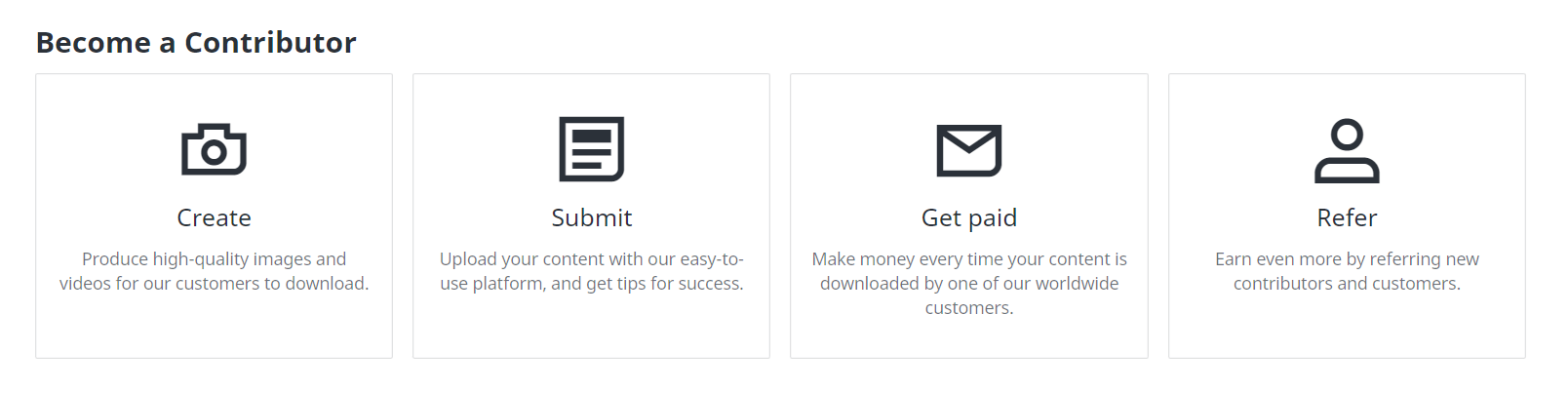
Ever wondered how to turn your passion for photography or visual arts into a steady income stream? As a Shutterstock Contributor, you can do just that. This platform allows creators from around the globe to showcase their incredible content and earn money through their creative work.

With the Shutterstock Contributor app, I can easily upload new images directly from my device and track how potential customers interact with my portfolio. The app notifies me when my images are being viewed or downloaded and even shows what customers are purchasing worldwide. This valuable insight helps me stay ahead of trends and create visuals that sell.


Key Takeaways

  • Monetize Your Creativity: Becoming a Shutterstock Contributor allows photographers and visual artists to earn money from their work by showcasing it on a global platform.
  • Easy Account Setup: Setting up an account is straightforward, requiring contributors to meet specific criteria such as being at least 18 years old and providing legal identification.
  • Adhering to Guidelines: Understanding and following Shutterstock’s content guidelines, including image quality and legal requirements, increases the likelihood of having your work approved.
  • Effective Portfolio Management: Utilize tagging best practices, categorize content efficiently, and regularly update your portfolio to enhance visibility and attract potential buyers.
  • Sales Optimization Tips: Maximize sales by understanding buyer preferences, using accurate metadata for search visibility, and promoting your portfolio across various platforms.
  • Explore Alternatives: Consider other stock photo platforms like iStock or Adobe Stock if you encounter limitations with Shutterstock or seek diversified income streams.

Setting Up Your Contributor Account

Setting up a contributor account on Shutterstock is straightforward when you meet specific criteria. Follow these guidelines to get started.

Requirements for Signing Up

To sign up as a Shutterstock contributor, certain prerequisites need to be met:

  • Age Requirement: Be at least 18 years old.
  • Legal Name: Register using your full legal or business name, not a nickname.
  • Business Registration: Complete necessary forms if registering as a business. US-based businesses require Form W-9, while non-US businesses require Form W-8.

Navigating the Registration Process

Begin by visiting the Shutterstock Contributor website and clicking on the “Sign Up” button. Enter your email address and create a password. Next, provide your full legal name or business name; this ensures proper attribution and payment processing.

If registering as an individual, proceed directly to uploading your content. For business registrations, complete either Form W-9 (US) or Form W-8 (non-US) before proceeding. After submitting the required information and forms, verify your email address through the confirmation link sent by Shutterstock.

Once verified, log in to your new account where you can start uploading images immediately. The platform provides tools for tracking sales performance and customer interactions with your portfolio in real-time, ensuring you stay informed about market trends and potential earnings opportunities.

Understanding Shutterstock’s Guidelines

Knowing the guidelines is crucial for success as a Shutterstock Contributor.

Acceptable Content Criteria

Age Requirement: Contributors must be at least 18 years old to create an account.

Account Sharing: Each account is personal; sharing it with others is prohibited. This ensures individual accountability and protects content integrity.

Image and Video Requirements

Image Quality: Images need to be at least 4 megapixels (MP) or larger, set at the highest quality settings. High resolution ensures better marketability and meets professional standards.

Submission Checks: Each photo submission undergoes checks before approval for creative or data licensing. These checks include assessments of composition, lighting, focus, and adherence to technical specifications.

Legal Guidelines for Contributions

Model Releases: For minor models, a parent or legal guardian’s name must be on the release form. This provides legal consent for minors’ images to appear in commercial content.

Required Information: Include all necessary details like the model’s first name in release forms. Additionally, photographer information such as name and contact details must accompany submissions for transparency and accountability.

Following these guidelines can significantly improve chances of having work accepted by Shutterstock while ensuring compliance with platform standards.

Uploading Your Work

Uploading your work to Shutterstock involves a few essential steps. Ensuring the correct process increases the chances of approval and visibility.

Best Practices for Tagging and Keywords

Using effective tagging and keywords is crucial for maximizing your content’s reach. Use Relevant Keywords first in your list; these receive priority in search results. For instance, if you upload an image of a sunset, prioritize “sunset,” “beach,” and “sky” over less relevant tags.

Disambiguate Keywords when using platforms like Getty Images by selecting precise suggestions from their list to ensure accurate tagging. This helps avoid confusion, such as differentiating between “jaguar” (the animal) and “Jaguar” (the car).

Use Hierarchy in Tagging, especially on Adobe Stock. Tags that appear first are given priority in ranking on search results pages. For example, place more critical terms at the beginning of the list.

Identify Supertags, particularly on Alamy, where the top 10 most important keywords significantly impact rankings during searches. For images of urban landscapes, prioritize terms like “cityscape,” “skyscraper,” and “urban.”

Finally, Utilize Keyword Tools such as Shutterstock’s keyword tool or Dropstock to analyze trends and find optimal tags quickly.

How to Organize Your Portfolio

A well-organized portfolio can streamline your workflow and enhance user experience:

  1. Categorize Content by Theme: Group similar types of images together (e.g., nature, architecture). This makes it easier for potential buyers to find what they need.
  2. Create Subfolders: Use subfolders within main categories for specific shoots or projects (e.g., under ‘Nature,’ have subfolders for ‘Forests,’ ‘Deserts’). This keeps everything neatly arranged.
  3. Tag Metadata Consistently: Ensure all files have consistent metadata including titles, descriptions, and keywords relevant to each image or video.
  4. Regularly Update Portfolio: Add new content periodically based on market trends while retiring outdated material that no longer meets current standards.

Managing Your Contributor Profile

Managing your contributor profile effectively on Shutterstock ensures you stay updated and maximize your earnings. Here are the crucial aspects of profile management.

Updating Your Information

Contributors must be at least 18 years old to create an account. Adhere to the Submission and Account Guidelines to avoid issues. Regularly update personal information including email addresses and payment details through the account settings page, ensuring all data remains current.

Tracking Your Earnings and Performance

The Marketplace Catalog page provides essential insights into earnings and performance. By accessing this tool, track monthly sales, view detailed reports, and analyze trends in content popularity. Utilize Portfolio Tools like the Catalog Manager to organize approved content into themed collections; this enhances discoverability for potential buyers.

Tips for Increasing Your Sales

Boosting sales as a Shutterstock contributor involves strategic actions and attention to detail. Here are some effective tips.

Understanding What Buyers Want

Understanding buyer preferences is crucial. Shutterstock sources metadata from contributors to help customers find the right content. This includes using precise titles and keywords that match buyer searches. Analyzing website and content usage data gives insights into popular trends, helping tailor your uploads to meet current demand.

Enhancing Visibility in Searches

Enhancing visibility in searches increases the likelihood of your images being found by potential buyers. Accurate metadata such as detailed descriptions, relevant keywords, and appropriate categories significantly improve searchability. Promoting your portfolio on various platforms also enhances visibility and attracts more buyers. Regularly updating uploaded content keeps it fresh and relevant, increasing its chances of appearing in search results.

These targeted strategies can help maximize sales on Shutterstock by ensuring that your work meets buyer needs and remains highly visible in searches.

Troubleshooting Common Issues

Troubleshooting common issues can save time and ensure a smoother experience on Shutterstock. Here are some key areas to address.

Rejected Submissions

Payment Information Verification: Ensure payment information is accurate and up-to-date in the Account Settings of your Shutterstock contributor account. Incorrect details result in missed payments.

Electronic Payment Account Setup: Verify that your electronic payment account is fully set up to avoid payment failures or delays. Incomplete setups often lead to transaction issues.

Payment Problems

Payment on Hold: If a payment is on hold, it may be due to pending verifications in your PayPal account. Complete necessary verifications to receive the payment promptly.

Missing Transaction ID: If you cannot find the transaction ID, contact PayPal support directly for assistance. Missing IDs usually indicate an issue with the PayPal system rather than Shutterstock’s side.

Card Not Being Accepted: If your credit card is declined, contact Shutterstock customer support for assistance over the phone. This step ensures rapid resolution of any card-related problems.

Alternatives to Shutterstock

Exploring alternatives to Shutterstock can help diversify income streams and find platforms that meet specific needs.

Comparing Different Platforms

iStock: Known for affordable prices and exclusive images, iStock is a go-to for businesses and individuals. The platform offers competitive earnings, especially for exclusive contributors.

Adobe Stock: With a vast library of high-quality assets, Adobe Stock integrates seamlessly with Adobe Creative Cloud apps. This integration saves time when working on creative projects and ensures access to premium content.

Fotor: Fotor stands out with AI-generated images and tools for customizing product backgrounds. Small businesses find this cost-effective due to its unique features tailored for e-commerce needs.

Unsplash: For those on a tight budget, Unsplash provides free stock photos ranging from artistic shots to commercial-style visuals. This site attracts users who prioritize cost savings over exclusivity or extensive libraries.

Pexels: A free stock photo aggregator offering a wide range of images under a custom license allowing commercial use. Pexels is perfect for small projects requiring diverse visual content without breaking the bank.

When to Consider Other Options

Consider other options if experiencing frequent app crashes or limited functionality with Shutterstock’s app leads to inefficiencies in workflow management. If needing more than 10-picture batch uploads or seamless keyword copying capabilities, look into alternative platforms that offer these features natively without additional hassle.

Exclusive contracts might also influence the decision. For instance, iStock provides higher earnings potential for exclusive contributors compared to non-exclusive ones elsewhere. Diversifying across multiple platforms like Adobe Stock or Pexels can mitigate risks tied to reliance on one source while expanding reach and maximizing revenue opportunities through different licensing models and user bases.

Exploring these alternatives based on specific requirements—be it pricing flexibility, integration needs, customization tools or exclusivity benefits—can enhance overall success as a stock photo contributor beyond what Shutterstock alone offers.

Conclusion

Becoming a Shutterstock Contributor offers a fantastic avenue to turn your photography passion into profit. By adhering to their guidelines and optimizing your portfolio with accurate metadata you can significantly boost your visibility and sales. Don’t forget the importance of updating content regularly to stay ahead in this competitive market.

If you face any issues like rejected submissions or payment problems Shutterstock’s customer support is there to help. Exploring alternative platforms like iStock Adobe Stock and others can also diversify your income streams and offer unique opportunities tailored to your specific needs.

Frequently Asked Questions

How can I become a Shutterstock contributor?

To be a Shutterstock contributor, submit several photos, JPEGs, EPS illustrations, or video clips for your first submission. These must meet Shutterstock’s content criteria and will be reviewed by their expert team.

What are the image requirements for Shutterstock submissions?

Images submitted to Shutterstock should be at least 4 MP in size and free from watermarks or logos. They must also adhere to quality standards regarding focus, exposure, and composition.

How do I effectively tag my images on Shutterstock?

Use relevant keywords that accurately describe the content of your images. Include terms related to the subject, setting, and emotions depicted to improve search visibility.

How often should I update my portfolio on Shutterstock?

Regularly updating your portfolio is recommended. Upload new images frequently to stay relevant and increase your chances of making sales.

What can I do if my submission gets rejected on Shutterstock?

Review the rejection reasons provided by Shutterstock carefully. Make necessary adjustments like improving image quality or correcting metadata before resubmitting.

How can I verify my payment information on Shutterstock?

Log into your account and go to the ‘Earnings’ section. Ensure all details are correctly filled out and follow any additional verification steps requested by Shutterstock.

What alternatives exist alongside Shutterstock for selling stock photos?

Consider platforms like iStock, Adobe Stock, Fotor, Unsplash, and Pexels. Each offers unique features such as different pricing structures or exclusive contract opportunities which may better suit your needs.

Why might there be an issue with accepting credit card payments on my account?

Credit card issues could stem from incorrect payment details or regional restrictions. Contacting Shutterstock customer support will help resolve these problems quickly.

How can I increase sales on Shutterstock?

Understand buyer preferences through market research, use accurate metadata for better visibility in searches, promote your portfolio across various platforms, and keep updating content regularly.